





Technographic prospecting uses information about a company’s software and web technologies to decide whether an offer could fit. A compatible platform can help you select an audience for an integration or service. It does not tell you that the company is unhappy, has a budget or wants to buy.
The practical workflow is to choose a relevant technology, combine it with company criteria, check sample matches, find the right role and write a message that reflects what you can actually establish. A detector result is a starting point for research.
For a single-site check, use the website technology lookup tools comparison. For a specific ecommerce audience, follow the companies using Shopify workflow and then verify the buyer role.
Technographic data examples: what a signal can tell you
| Signal | Useful hypothesis | Unsupported assumption |
|---|---|---|
| Ecommerce platform detected on a site | A compatible store integration may fit | The store has a specific revenue or conversion problem |
| Analytics script observed | An analytics-related service may be relevant | The team uses every feature or dislikes the tool |
| Customer-facing integration documentation | Integration support could be a relevant conversation | The company uses that system internally |
| No detected instance of a tool | More research may be needed | The company definitely does not use it |
Technology detection can miss tools used behind a login, server-side systems and installations that no longer appear publicly. A third-party script may be loaded by an agency or embedded widget. Check the company domain and the source of the observation before treating it as account evidence.
For a specific ecommerce workflow, see how to find companies using Shopify. To compare lookup access and costs, use the BuiltWith alternatives guide.
Build one technology-based prospecting segment
Here is an illustrative segment for a service that configures store analytics: UK ecommerce companies with 10–50 employees and a supported ecommerce platform. Those criteria are a planning example, not a tested lead count or a claim that every result will qualify.
- Choose the reason for the filter. Name the platform your service actually supports. If the technology does not affect product fit, use a different criterion.
- Open company search. In DitLead Lead Finder, select Companies and narrow the location and employee-count fields to your service scope.
- Select a technology. Use the Technologies field, choose an available match and apply the filters. Available matches depend on the indexed data; do not assume an arbitrary product is supported.
- Inspect sample companies. Open their websites, check the relevant store or documentation and record the source and date. Remove mismatched businesses before expanding the list.
- Find the role that owns the workflow. Store operations, ecommerce or engineering may own different parts of the problem. A relevant company is not enough.
- Prepare the outreach. Carry verified context into the message. Ask about the process instead of asserting that it is broken.
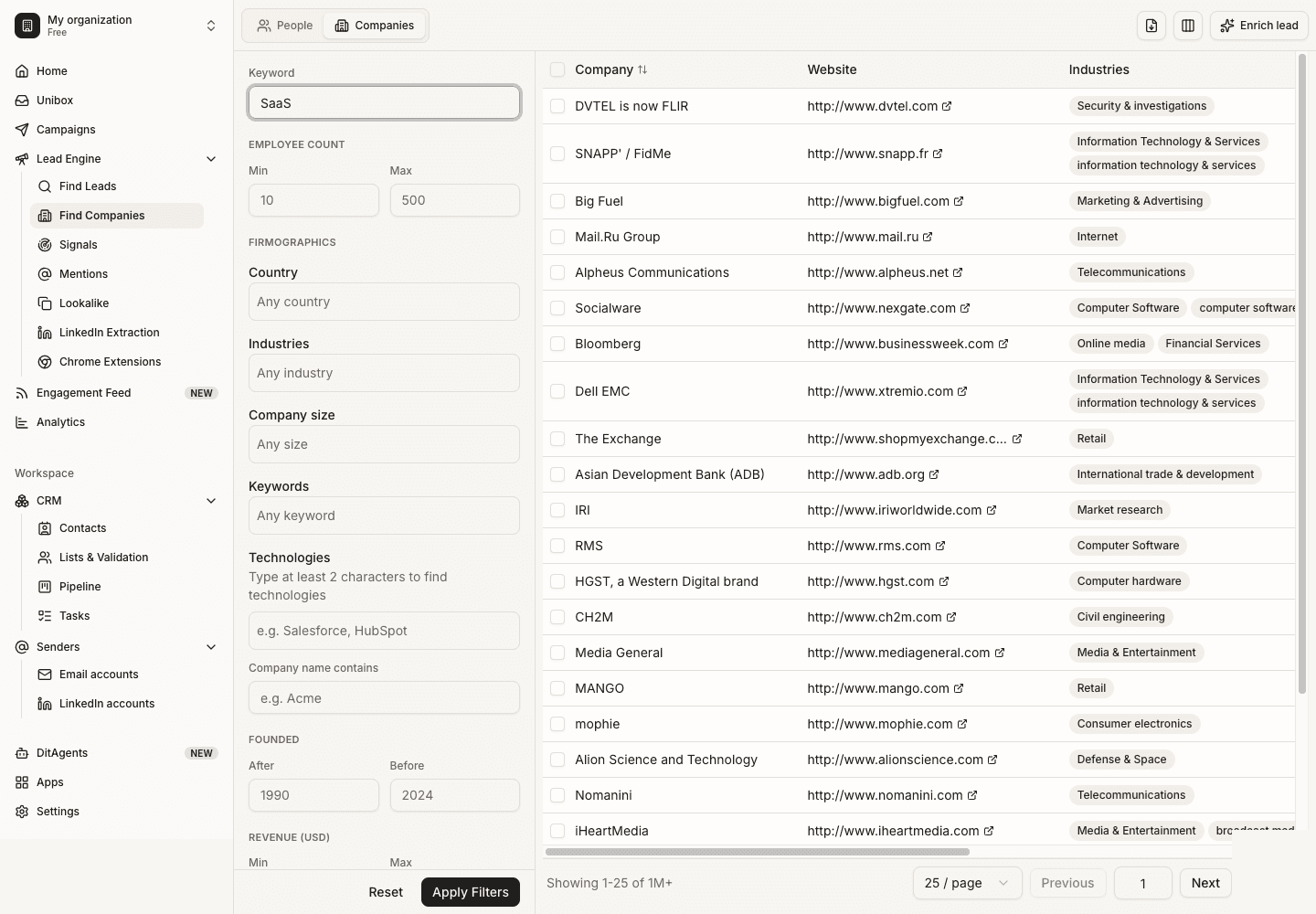
The technology-filter walkthrough explains the app workflow. For the product overview, see DitLead technology lookup. Keep source notes in a prospect research worksheet when a detected signal matters to your message.
Three technographic targeting plays
1. Integrate with a platform the buyer uses
Use this when your product supports the observed technology. Check the supported version, integration boundary and relevant buyer role. The offer should describe the actual connection, rather than simply name the platform.
Hi [first name],

Your site appears to run [verified platform]. We connect [specific workflow] to that platform, including [supported function].

Who looks after that workflow at [company]?

[your name]
2. Discuss a replacement without inventing dissatisfaction
A competitor’s presence can establish technical compatibility for a comparison. It cannot establish that the customer is unhappy or that switching is easy. Explain migration scope and ask whether a comparison is relevant.
Hi [first name],

I found [tool] referenced in [public source]. Our product is another option for [specific job], with [verified distinction].

Are you reviewing that workflow, or is your current setup working well?

[your name]
3. Complement an existing service or product
An agency offering platform builds might use a partner for an adjacent service. Confirm the service offering from its own site; a platform detection alone does not prove the agency offers it to clients.
Hi [first name],

Your services page includes [platform] implementations. We handle [adjacent service] after launch.

Do you ever involve a partner for that part of a project?

[your name]
These messages are illustrative. Replace each bracket with verified information, or remove the premise. For more before-and-after examples, use our cold email personalization guide.
Validate signals before scaling a campaign
- Check that the technology belongs to the prospect’s domain, not another site in a group.
- Look for current first-party evidence when the claim is important.
- Record when you checked; a dated observation is not a permanent fact.
- Treat missing detections as unknown, rather than proof of absence.
- Review the buyer role and suppress customers, duplicates and opt-outs.
Track qualification and meaningful replies by segment. If a technology-filtered audience performs poorly, inspect company and role fit before concluding that the tool is the problem. Do not report the illustrative examples as tested campaign results.
Choose a lookup tool or an outreach workflow
If you need to inspect one website immediately, compare working detectors in our website technology lookup tools guide. This article teaches list-building; it is not a public website checker.
For an outreach workflow, Lead Finder helps you select an audience. Auto Outreach starts from your business website and proposes campaigns; review audience fit and prospect research before launch. DitLead provides the mailboxes when Auto Outreach is enabled.