
DitLead

LinkedIn lead extraction

From a LinkedIn source to a reviewed audience.

Choose a supported search or profile workflow, inspect the returned fields and keep the contact context with your campaign.

7-day trial · Credit card required · Cancel anytime

Review the people before building the campaign.

STEP / 01

Select the source

Choose the supported LinkedIn search, Sales Navigator, post or extension method for your workspace.

STEP / 02

Check the returned profiles

Review buyer fit, current role, source context, duplicates and missing fields.

STEP / 03

Prepare the next conversation

Keep the evidence with the contact and review the offer, sender and recipient state before outreach.

In the product

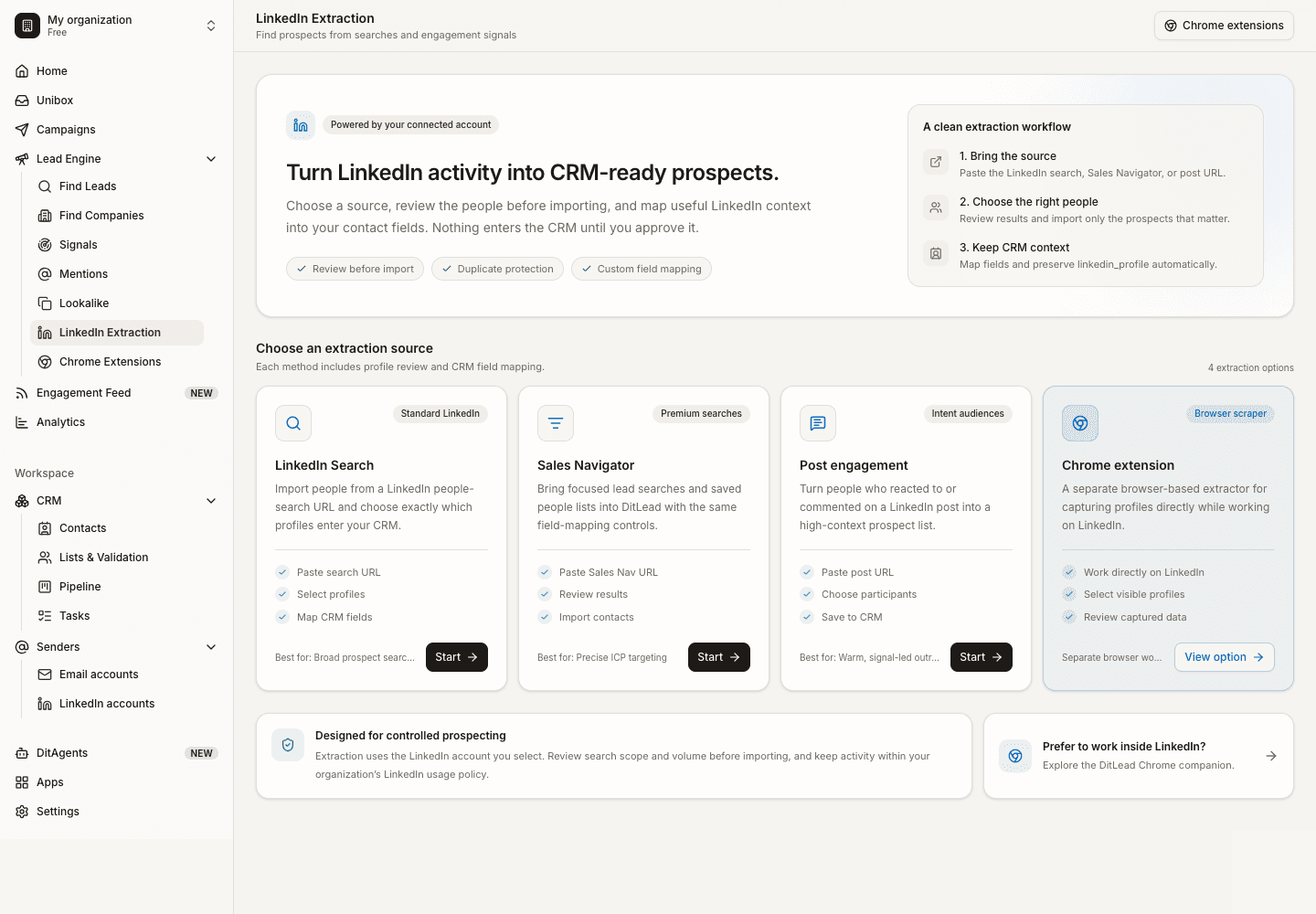
Choose the source in DitLead.

Existing real demo-workspace capture of the LinkedIn extraction interface. It shows the setup controls, not a tested complete dataset or match-rate benchmark.
app.ditlead.com
DitLead LinkedIn extraction interface in an existing demo workspace

A profile list is a starting point. Use Sales Navigator lead-generation guidance for native search and prospect research to check the buyer and message premise. Review lead-credit and plan allowances separately from provider rules.

Choose the right source workflow.

For your own form submissions, use LinkedIn Ads lead downloads. For third-party search export and enrichment options, read the LinkedIn extraction tool comparison. Tighten role wording with Boolean search examples before reviewing the audience.

FAQ6 entries

LinkedIn source and import questions.

Talk through your workflow with our team.

Talk to sales

Use Campaign Manager’s native Lead Gen Form download. It is a different source from profile extraction. Follow the LinkedIn ad-lead export guide for permissions, dates and CSV troubleshooting.

The product guides cover LinkedIn people searches, Sales Navigator searches, post engagement and visible-profile extension workflows. Use the method guide to select a supported source and check the current workspace behavior.

DitLead has cloud/source-URL and optional extension workflows. Select the method that fits the actual source and review its requirements; neither method guarantees complete data or provider approval.

No. LinkedIn does not provide a native CSV/XLS export of lead/account information in the reviewed help. DitLead is a separate third-party workflow. The Sales Navigator guide distinguishes search, saved leads and subsequent outreach.

No. Review returned fields and uncertain or missing information. Lead reveal and verification are separate credit operations; finding a domain or profile is not proof that an individual mailbox exists.

No. LinkedIn restricts third-party scraping and automated activity. Cloud execution or an optional extension does not remove those rules.

PLATE · CTAstart nowfig.
Launch in 2 seconds

Keep the audience and message connected.

Review the contact context, recipient state and campaign in DitLead before scheduling outreach.

7-day trial·Credit card required·Cancel anytime