





The best LinkedIn lead extraction tool depends on the source and the output you need. Evaboot documents Sales Navigator export; PhantomBuster offers a configurable search-export automation; DitLead combines supported extraction workflows with reviewed lists and outreach preparation. Wiza’s current extension is no longer a bulk search-export option. Compare the actual task before comparing prices.
This is a review of current official documentation and DitLead’s inspected interface, updated October 12, 2026. It is not an independent hands-on accuracy benchmark. The order below is not a performance ranking, and no vendor is awarded an account-safety score.
Which LinkedIn search export tool fits your task?
| Option | Source / dependency | Output / next step | Cost scope |
|---|---|---|---|
| DitLead | Supported LinkedIn and Sales Navigator extraction methods | Reviewed contacts/lists; separate verification and campaign preparation | Platform plan and lead-credit allowance; native account/subscription dependencies remain separate |
| Evaboot | Sales Navigator searches and lists; active native seat required | CSV, email enrichment and advertised CRM/API workflows | $29/month for 400 credits on the reviewed pricing page; native seat extra |
| PhantomBuster | Specific Sales Navigator Search Export automation | CSV/JSON; additional Phantoms serve other tasks | Plan with execution-time and other usage allowances |
| Wiza | Individual profiles; Prospect, CSV upload and CRM import for lists | List enrichment/export; bulk search-page export removed | Check current plan and data-credit scope for your list workflow |
| Dux-Soup / STACKED | LinkedIn prospect management and outreach workflow | Contact export and advertised integrations; not a like-for-like search scraper | Current STACKED local page lists $55/month per seat; other execution options differ |
| Scrupp | Advertised LinkedIn/Sales Navigator extraction and separate database | CSV/XLSX, enrichment and advertised destination integrations | Check extraction, email and phone credit charges separately |
| Apify Actors | Depends on the particular Actor and its maintainer | Platform datasets can export CSV/JSON; fields depend on the Actor | Actor charges plus relevant platform/resource usage |
If you need your own ad-form submissions, use Campaign Manager’s native Lead Gen Form export. For Sales Navigator prospect research, begin with native searches and saved leads. These are different sources from a connection archive or an enrichment database.
1. DitLead: extraction, reviewed lists and campaign preparation
DitLead’s extraction workflow offers supported source methods, including cloud and optional extension paths. Check the method for the actual source URL, then inspect the returned profile context and fields. This does not mean every URL works, every profile has an email or every extracted row belongs in a campaign.
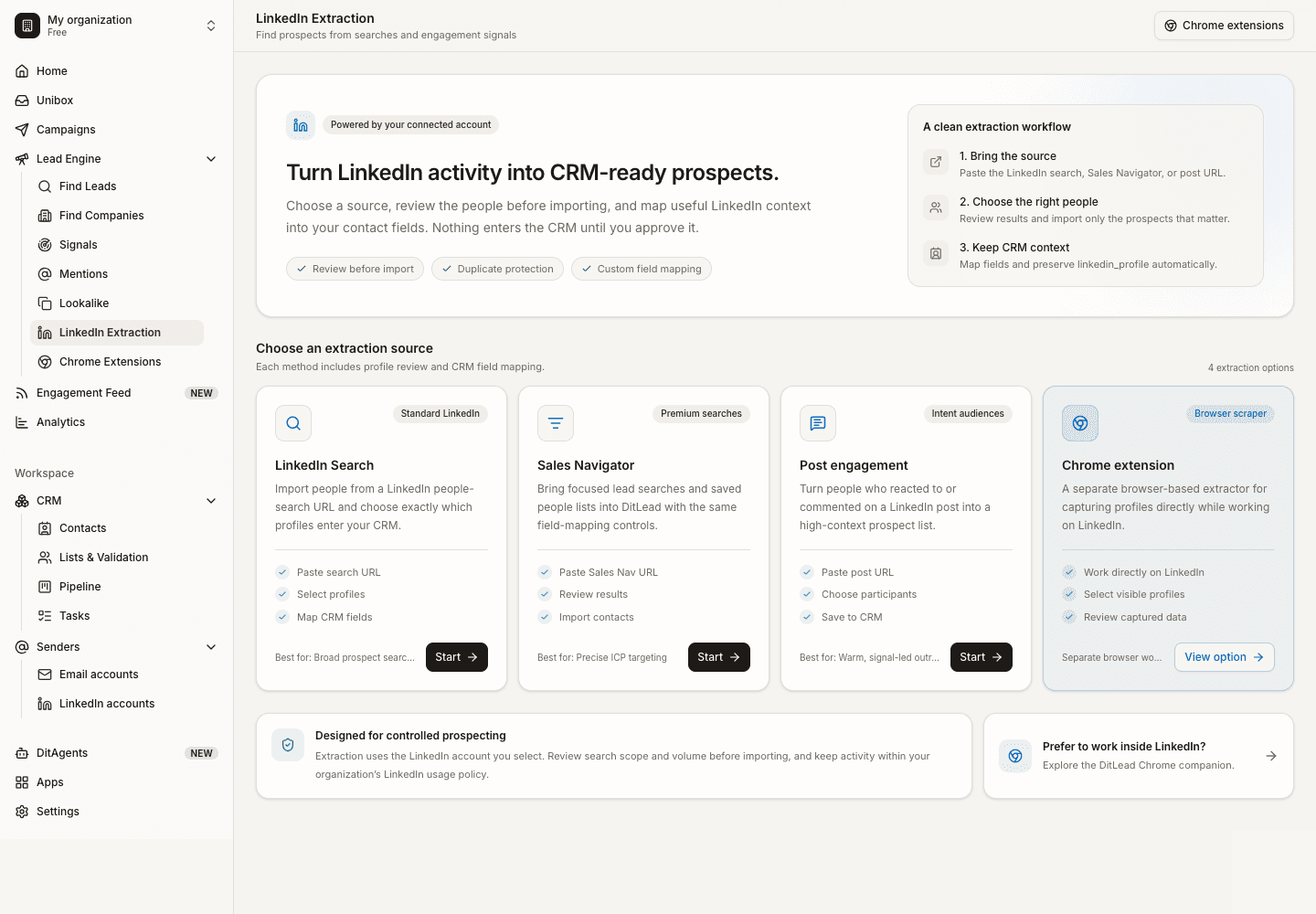
For a workflow that includes LinkedIn outreach, Team is $99/month on monthly billing, with 50,000 lead credits and 1 included LinkedIn account. Check pricing for all plans and extra-account fees. Verification uses 1 lead credit, a lead reveal uses 5 and Auto Outreach email research uses 15. Sending emails does not use lead credits.
Extraction, verification and campaign launch are separate decisions. Review contacts and campaign settings before launch. A Sales Navigator source still depends on appropriate native access; a DitLead account does not include a free native subscription or LinkedIn permission.
2. Evaboot: a documented Sales Navigator export path
Evaboot advertises search/list export, data cleaning, email finding and verification, plus CRM, API and automation destinations. It is no longer accurate to describe it as only handing you a CSV with no destination workflow.
Its reviewed pricing page lists $29/month for 400 credits and requires an active Sales Navigator seat for search exports. It describes per-export credits and separate finder/verifier behavior. Compare the credit definition with your actual task rather than equating a credit with a usable email. No independently tested accuracy lead is claimed here.
3. PhantomBuster: a specific automation inside a wider toolkit
The Sales Navigator Search Export documentation describes lead/account search or list inputs and CSV/JSON output. Other Phantoms serve other extraction and action tasks, so map the complete workflow rather than assuming the export automation also performs every downstream step.
Its documented search ceiling concerns visible results per search, not a universal daily export allowance. Check current native visibility, your required inputs and the execution-time and plan allowances. Cloud execution is an operating model, not proof that LinkedIn authorizes the activity.
4. Wiza: current profile and list-enrichment alternative
Wiza removed bulk export and multi-select from LinkedIn, Sales Navigator and Recruiter search/list pages. Its August 19, 2026 extension update says the change applies to all plans. Older tutorials showing bulk export buttons describe the previous workflow.
The update retains individual profile actions in the side panel. List-building routes now include Wiza Prospect, CSV upload and CRM import. Evaluate it for that workflow; do not buy it expecting the removed search-page export to be restored by Support.
5. Dux-Soup / STACKED: contact management with outreach
The current Dux-Soup site presents STACKED with contact export, prospect management, outreach and integrations. Its local option is described as a desktop application at $55/month per seat on monthly billing. The older blanket “$15 browser scraper” description does not describe this current offer.
If contact export is your main task, confirm where the contacts enter the workflow and which fields can be exported. Outreach campaign features should not be counted as proof of identical search extraction or data coverage.
6. Scrupp: advertised export and enrichment workflows
Scrupp’s current product page advertises LinkedIn/Sales Navigator inputs, CSV/XLSX outputs, enrichment and destination integrations, alongside a separate lead database. Its pricing page should be checked against the extraction and email/phone operations you need.
Distinguish its own product claims from established native allowances. An advertised export ceiling or account-safety statement is not an independent test or LinkedIn authorization. We do not repeat the provider’s competitor accuracy scores as our findings.
7. Apify: evaluate the individual Actor, not just the platform
Apify is a platform for running Actors. The run documentation and dataset documentation explain inputs, runs and CSV/JSON export. They do not guarantee that a particular community LinkedIn Actor supports your source or returns a specific contact field.
Check the actual Actor’s maintainer, supported inputs, recent updates, sample schema and charges. Ask what happens when the source changes or a run returns incomplete data. Treat platform capability and Actor-specific behavior separately.
Evaluate a tool with a small, reviewed sample
Use the same permitted source and required fields for each candidate. Record the date, source type, input count, returned rows, duplicates, current-role matches, contact availability, verification states, credits charged and destination mapping. A larger row count can include irrelevant or repeated records.
Download the blank extraction evaluation worksheet. It contains no claimed vendor scores. Inspect both successful rows and missing or uncertain results; do not report an “accuracy rate” without defining the ground truth and denominator.
What can Sales Navigator export natively?
LinkedIn’s Leads and Accounts help explains that native CSV/XLS export of lead and account information is not offered. Supported CRM features depend on the subscription and setup. A personal connection archive and an ad-form download do not add native export to a saved Sales Navigator list.
Does an extension or cloud tool make extraction safe?
No architecture establishes that guarantee. LinkedIn’s prohibited software policy restricts third-party scraping and automation. Check the actual permitted method and data use; low volume, pacing or visible profile information does not override that policy.
How should extracted leads enter an outreach campaign?
Review buyer fit, source context, available contact fields and exclusions first. Then use the LinkedIn campaign workflow or a coordinated LinkedIn/email sequence. Start with a relevant message and a named reply owner. Export completion alone is not a qualification decision or a reason to launch.