





BuiltWith alternatives should be selected for the task: inspect one website, obtain a company list, enrich records through an API or build an outreach campaign. A free lookup and a paid export are different products. Compare the actual result, access requirements and recurring cost before choosing.
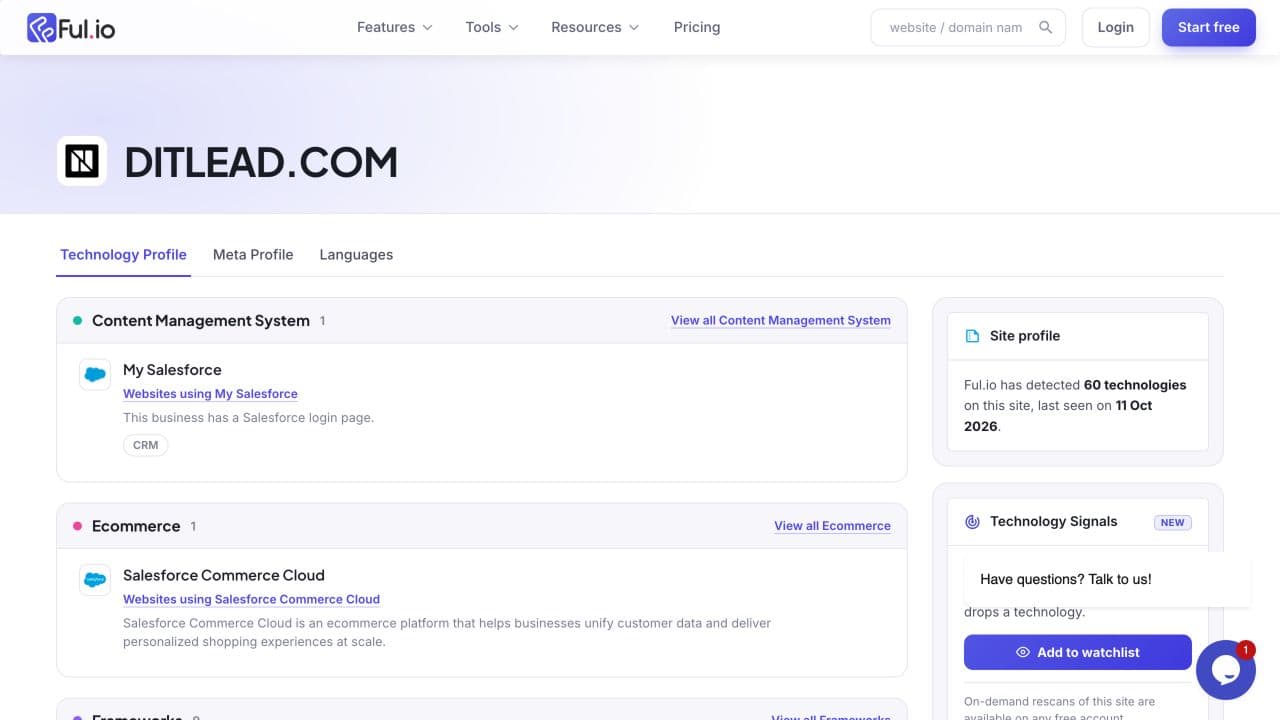
We checked the public lookup workflows using our own domain, ditlead.com, on October 12, 2026. BuiltWith and Ful.io returned reports. Wappalyzer asked us to create an account before displaying a result; we did not create one. This is a limited workflow observation, not an accuracy benchmark across websites.
What the owned-domain check showed
| Service | Observed workflow | What remains unverified |
|---|---|---|
| BuiltWith | Public technology profile returned; listed OpenReplay, Facebook Pixel, Google Analytics and Partnero among its observations | Completeness and current deployment of every reported technology |
| Ful.io | Public profile returned; included React, Next.js, Calendly and other names | Validity of every detection and exact observation dates |
| Wappalyzer | Domain submission opened a sign-up dialog | Technology output and accuracy; no authenticated result obtained |
| DitLead | Company-search technology filters reviewed in existing product captures | A public single-domain checker; this marketing site does not provide one |
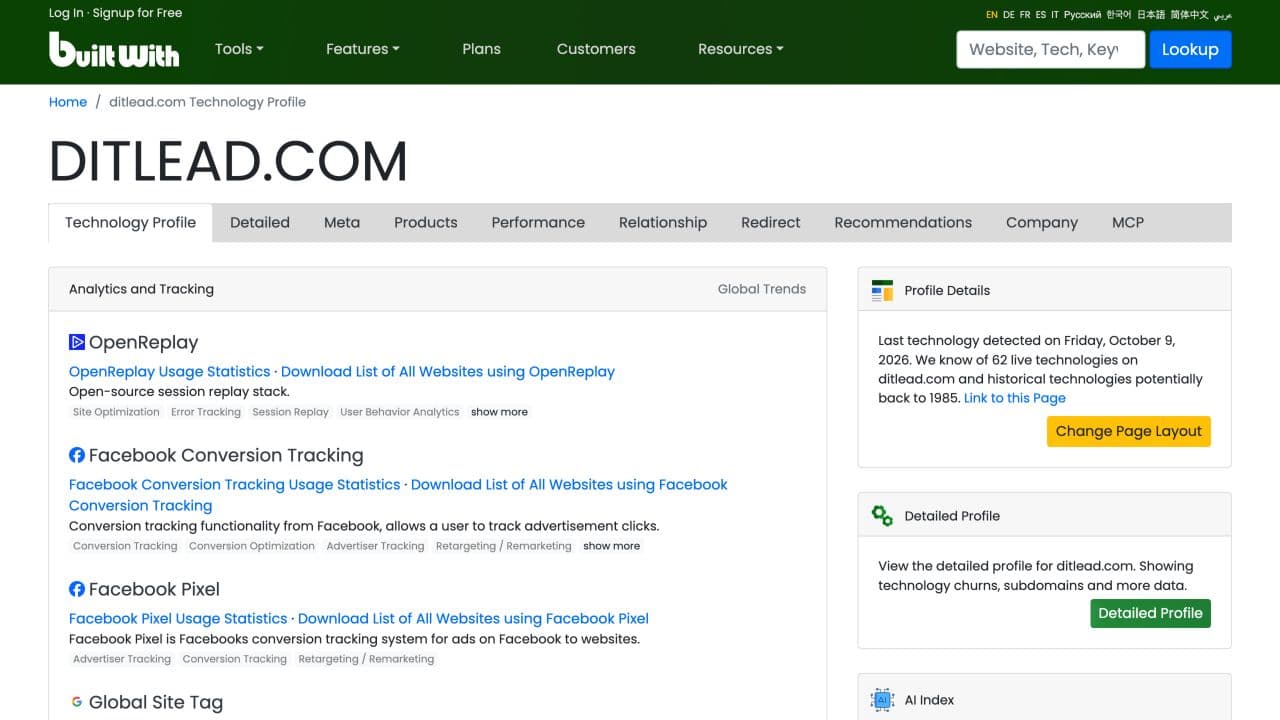
The reports did not present identical lists. Ful.io also listed Salesforce-related technologies. We have not established that every such label describes an active system on the public website. A report name should remain an observation to validate, especially before asserting a prospect uses a particular internal product.
Pricing and access to compare
These are the reviewed public monthly views, not equivalent bundles. Check the current provider page for the selected term, allowances and checkout.
| Service | Displayed paid entry | Separate access question |
|---|---|---|
| BuiltWith | Basic $295/month | Individual public lookups are separate from report/export subscriptions |
| Wappalyzer | Pro $250/month | Its free account allowance and paid list/API usage have distinct limits |
| Ful.io | Individual $99/month | Single-site lookup and bulk/report/API credits have different scope |
| DitLead | Starter $39/month | Outreach workspace with finite lead credits; not a standalone public detector subscription |
Wappalyzer: evaluate lookup and enrichment
Use Wappalyzer’s lookup workflow when you want website research and its API or CRM capabilities. Our unauthenticated test reached an account requirement, so we cannot compare its returned stack with the other two reports. Check the account allowance and live-versus-cached lookup terms before estimating cost.
Ful.io: evaluate lookup and technology reports
Ful.io provided a public report in our check. Its official site also describes filtered technology reports, exports and API options. Review the actual observations and data freshness for your use case; a larger list of names is not inherently more accurate.
DitLead: evaluate the next outreach task
DitLead technology lookup is part of company targeting. Use available technology and company criteria, inspect matches and find an appropriate buyer role. The technographic prospecting guide walks through that task.
If you want website-to-campaign preparation, Auto Outreach proposes audiences and campaigns to review. DitLead provides the mailboxes when enabled. It does not turn this article into a working public tech-stack checker.
A repeatable evaluation method
- Use domains you own or have permission to inspect.
- Keep the report URL, observation date and any displayed detection date.
- Record which workflow required an account, subscription or credit.
- Validate important detections against current evidence.
- Compare the actual fields, exports and usage unit you need.
- Keep missing, uncertain and untested results separate from confirmed facts.
For the broader category, use the existing website technology tools comparison. This guide focuses on replacing a BuiltWith workflow and the access/result differences observed in our owned-domain check.