
What this explains
- Pre-warmed (done-for-you) accounts are sending-ready mailboxes you buy from DitLead, so you can launch outreach without buying domains, configuring DNS, or warming inboxes yourself.
- They arrive with authentication (SPF, DKIM, DMARC) configured and sending reputation already built, which means you skip the usual multi-week warmup wait.
- Use them when you want to start sending quickly, replace a burned domain, or scale volume without setting up mailboxes one by one.
Key ideas
Open the done-for-you marketplace
In Email accounts, choose Add account and open the Done for you tab. You can buy fully managed mailboxes, Google or Microsoft workspace mailboxes, or a dedicated sending server — DitLead handles the setup.
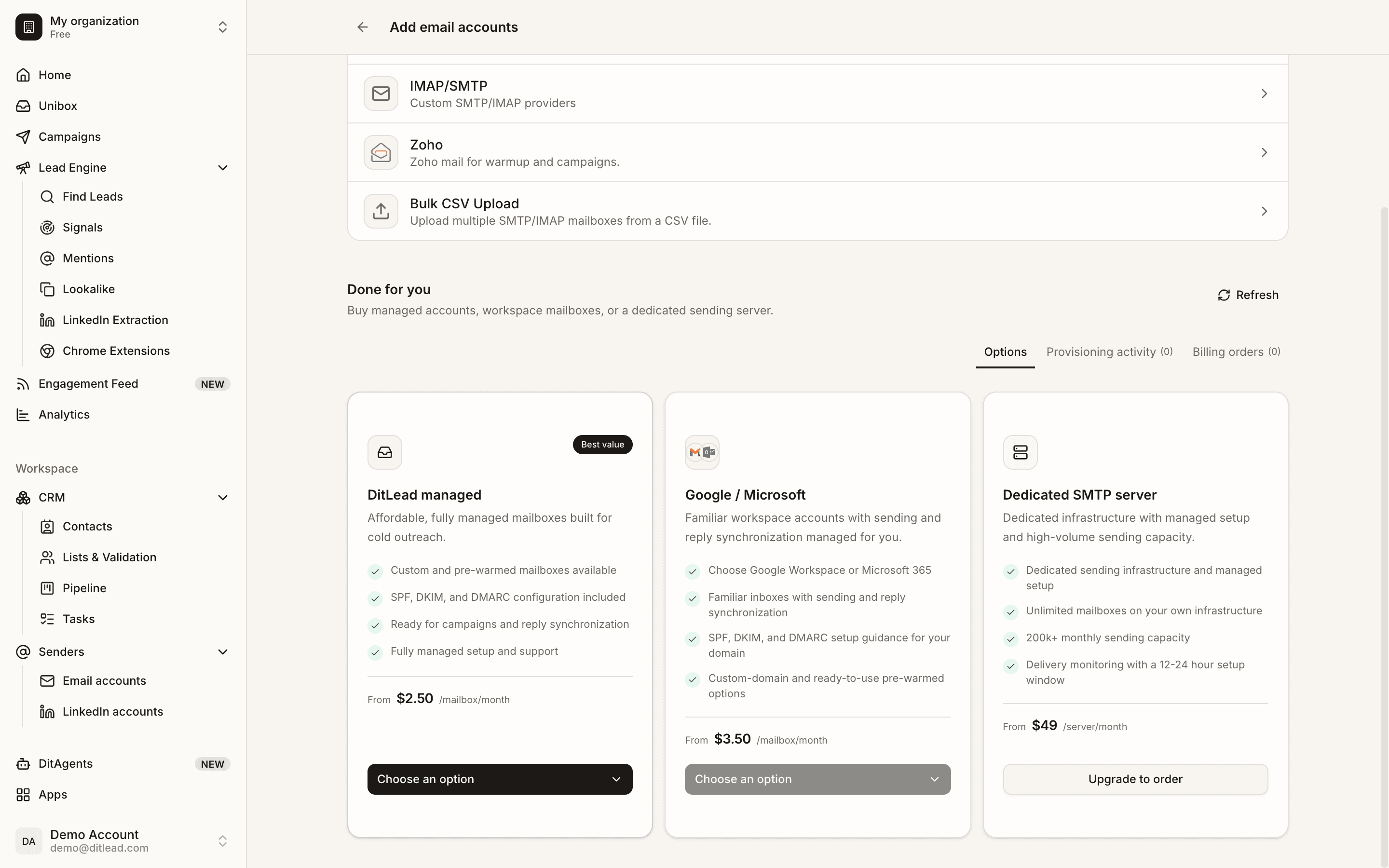
Pick a plan that matches your volume
Pre-warmed mailboxes are $3 per mailbox per month, plus a one-time $8 per domain that covers registration and full SPF/DKIM/DMARC setup. There's no minimum, you can add or remove mailboxes month to month, and they're available on every plan — including Free. For high volume, a dedicated managed SMTP server is available separately.
Use managed domains or bring your own
Managed and workspace options can ship with ready-to-use pre-warmed domains, or you can connect a custom domain you already own. Authentication is set up as part of provisioning either way.
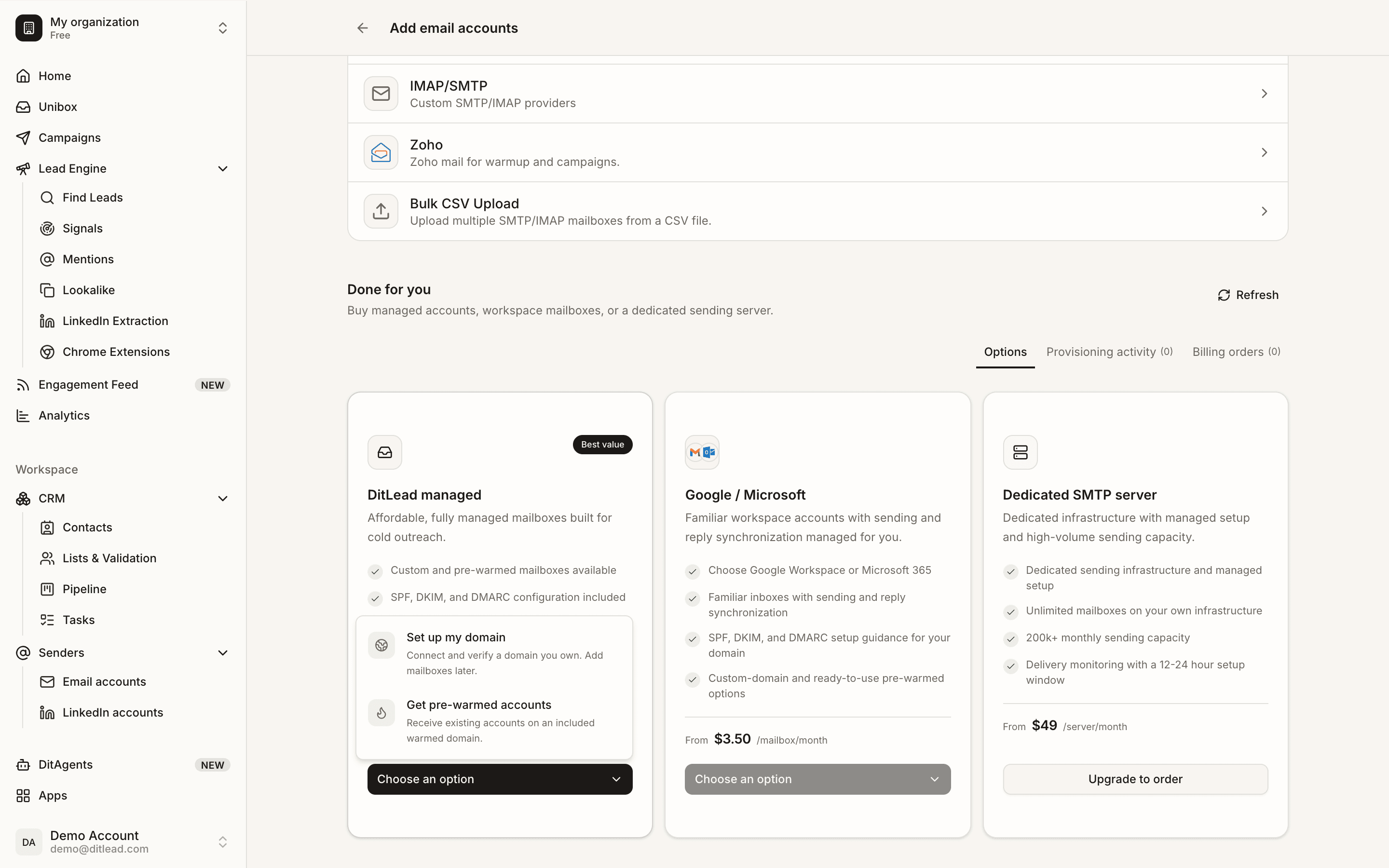
Launch your campaign
Once provisioning finishes, the mailboxes appear in Email accounts — validated and reply-synced. Add them to a campaign's sender rotation and start sending with conservative limits.
How to use this
FAQ
Do I still need to warm up pre-warmed accounts?
No separate warmup cycle is required — they arrive with reputation already built. You should still increase daily volume gradually and avoid aggressive sending on day one.
How much do pre-warmed mailboxes cost?
$3 per mailbox per month, plus a one-time $8 per domain that covers registration and all DNS/auth configuration. There's no minimum, you can add or remove mailboxes month to month, and they're available on every plan — including Free.
Can I use my own domain?
Yes. Connect a custom domain you already own, or let DitLead register and configure one for the one-time $8. SPF, DKIM, and DMARC are set up either way.
How fast are accounts ready?
Same day for managed pre-warmed mailboxes — they arrive authenticated and reputation-built, so you can connect them to a campaign and send immediately. You can track status under the Done-for-you tab's provisioning activity.
Connect mailboxes, validate SMTP/IMAP, warm up accounts, and choose conservative sending limits.