
DitLead
Learn Center/AI agents and automation/What can DitLead agents do?
explanation

What can DitLead agents do?

Understand common agent jobs and when to use them.

5 min read

What this explains

  • Use agents when the workflow has repeated research, enrichment, scraping, routing, or review work.
  • Decide what the agent is allowed to read and what it is allowed to change before you run it.
  • Keep approval enabled for anything that can affect contacts, lists, campaigns, or CRM records.

Key ideas

Idea 1

Open DitAgents

Go to DitAgents from the dashboard. This is where workspace agents, templates, runs, and configuration live.
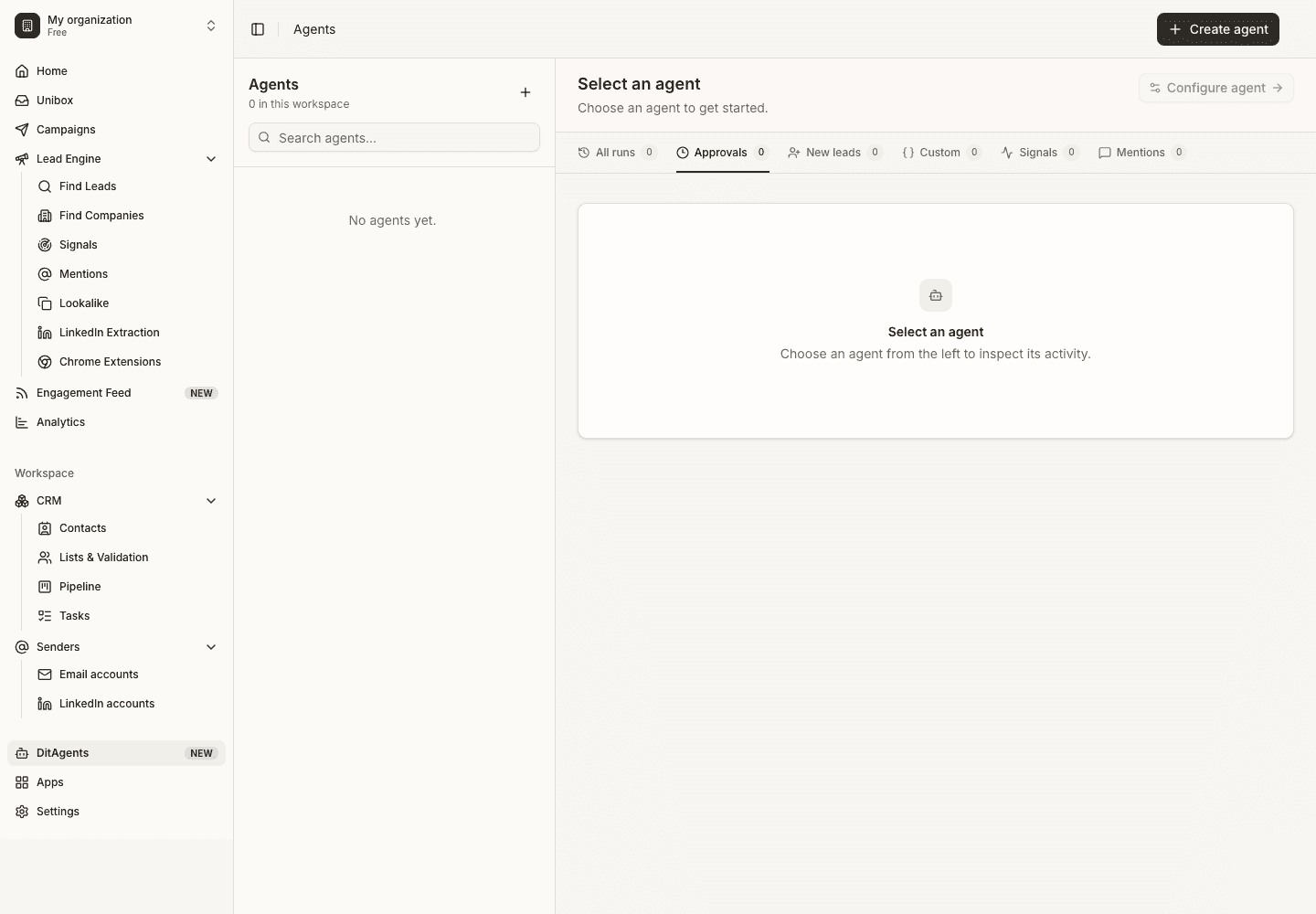
What can DitLead agents do?: Agents home screen
What can DitLead agents do?
Idea 2

Choose the job type

Pick the kind of work the agent should handle: research, scraping, enrichment, lead routing, follow-up support, or another repeatable process.
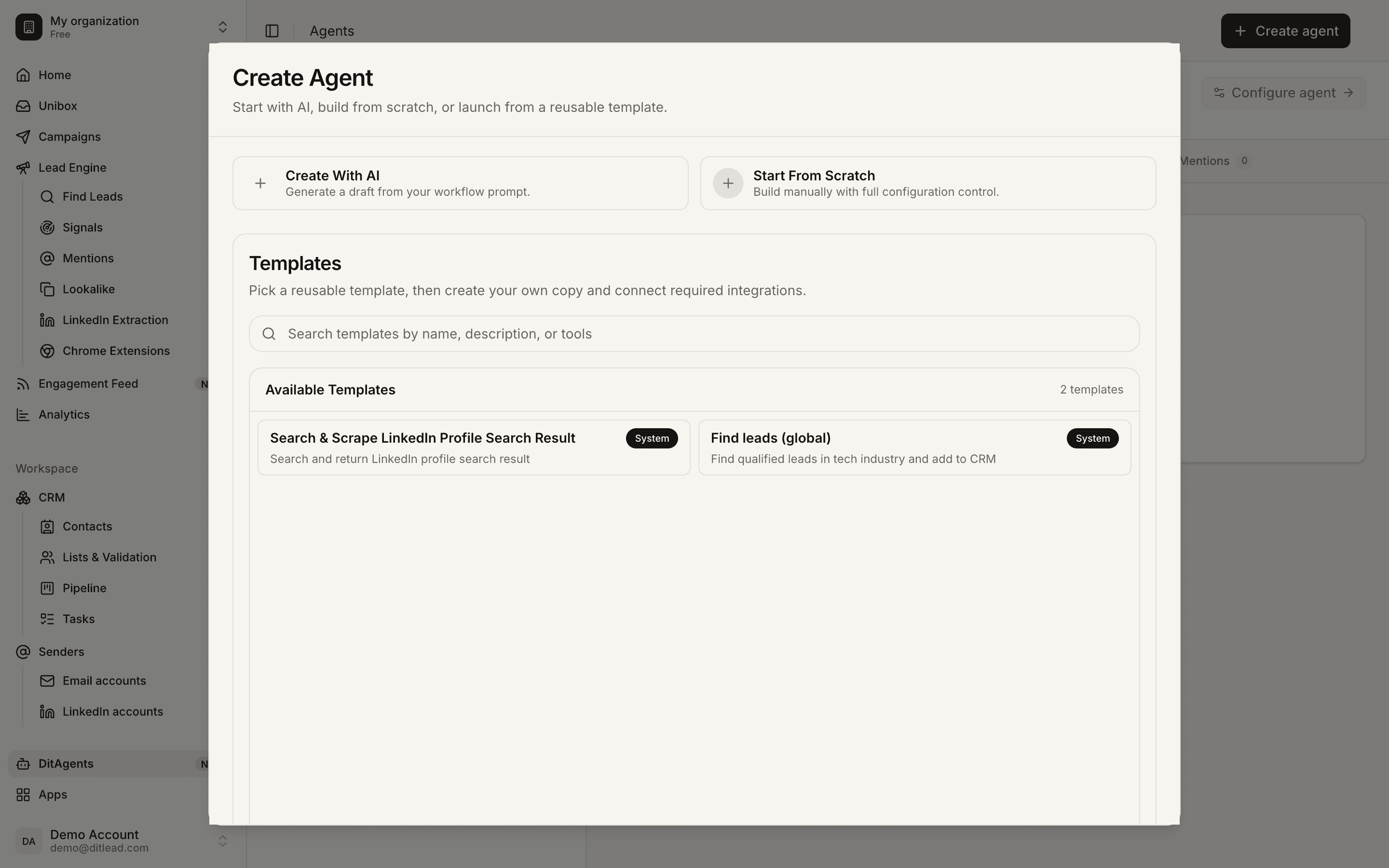
What can DitLead agents do?: Agent job type
What can DitLead agents do?
Idea 3

Define inputs and outputs

Give the agent clear inputs and define the exact output you expect. Useful agents produce structured results that are easy to review.
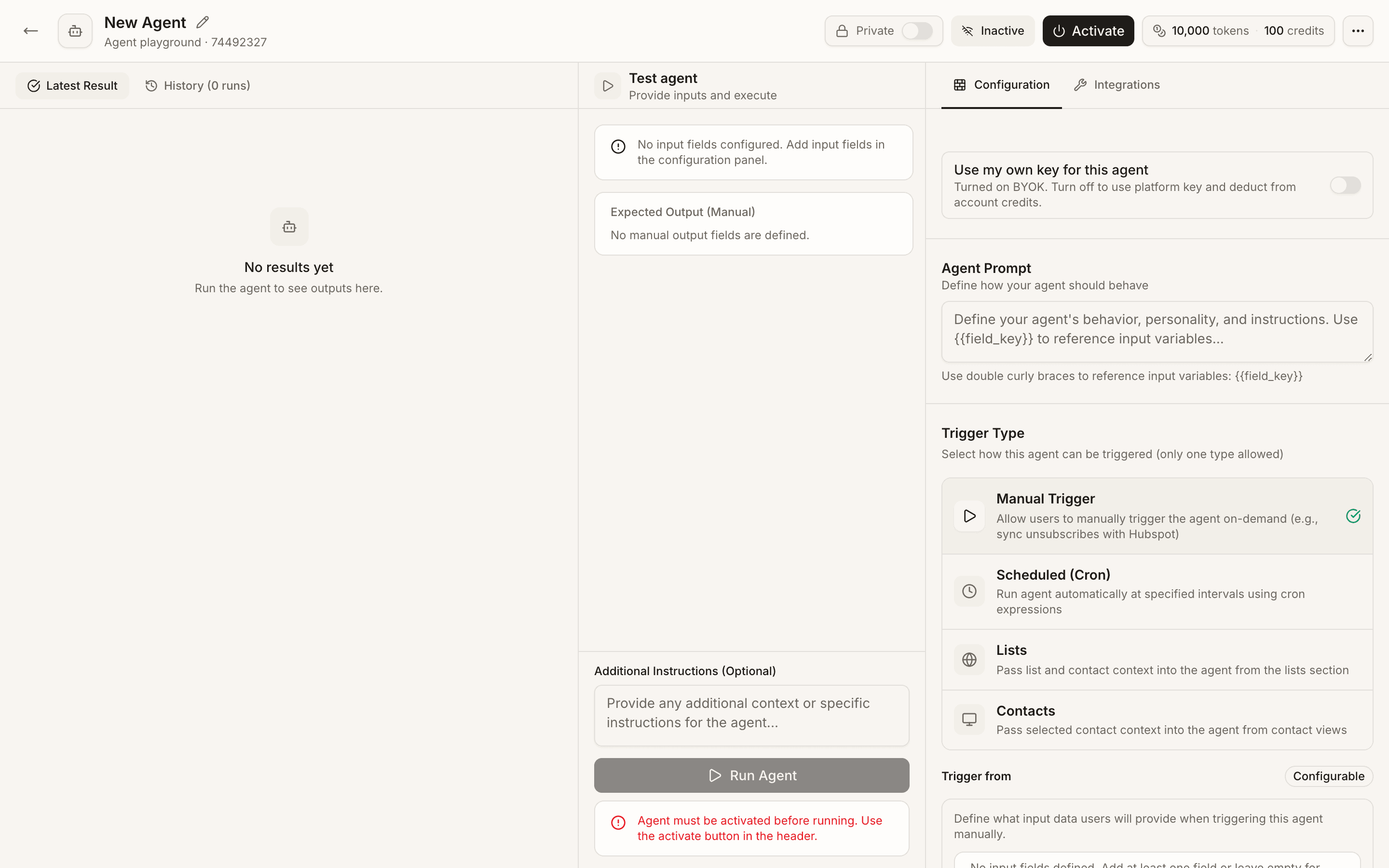
What can DitLead agents do?: Agent inputs and outputs
What can DitLead agents do?
Idea 4

Review runs before using results

Open run history and check the agent output before approving changes or using the result in a campaign.

What can DitLead agents do?: Agent run review
What can DitLead agents do?

How to use this

  • Start with one narrow workflow before turning an agent into a larger automation.
  • Use rejected or edited outputs to improve the agent instructions.

FAQ

What should I automate first?

Start with repetitive research or enrichment work where the desired output is clear. Avoid automating messy judgment calls until the process is proven.

Can agents change data automatically?

They can be configured to take actions, but sensitive workflows should use review and approval before changes are applied.

Automate workUse agents where review still matters

Let agents research, enrich, or draft work, then review outputs before they affect your workspace.

Learn agents
See it in the productExplore AI Agents